
IT help desk agent
A help desk that knows your own setup: your procedures, onboarding documents, IT provider's instructions and Microsoft's guides, for everyday tech questions, with a handoff to a person.
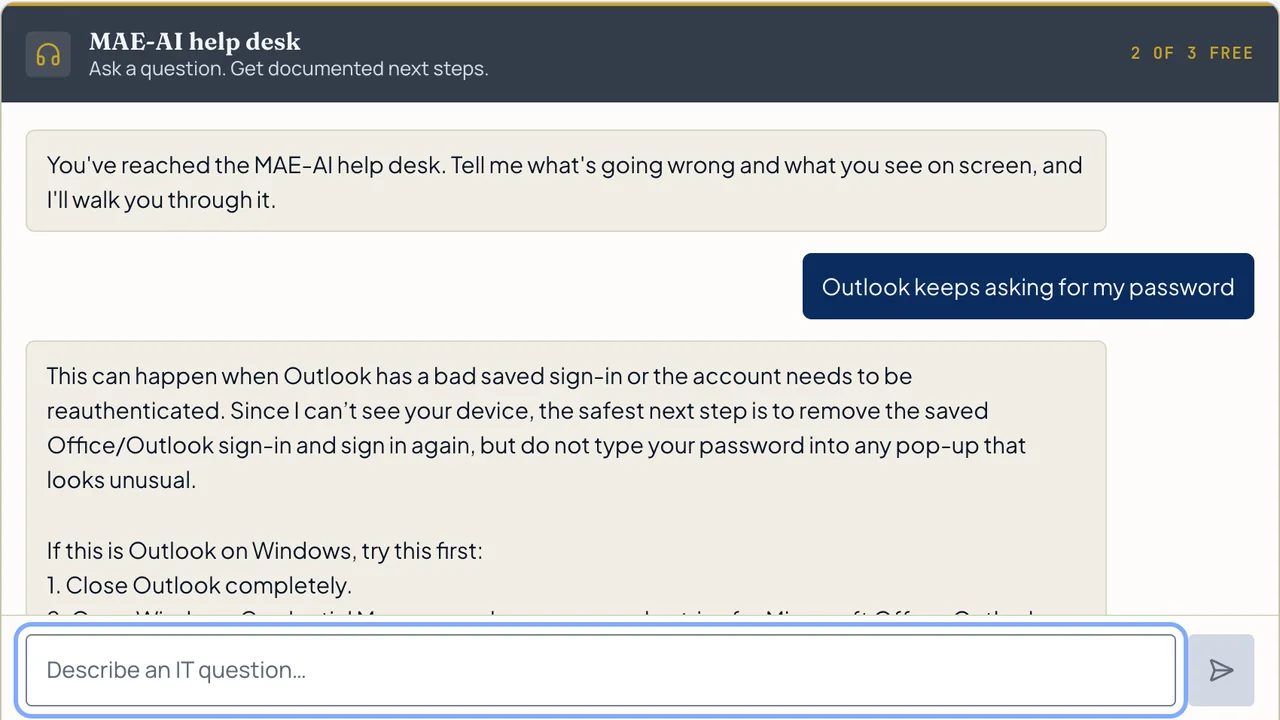
Give everyday IT questions a place to start.
Small office teams that need help with routine questions alongside their existing IT support.
Example use: An employee cannot join a Teams meeting. The agent suggests documented checks and prepares a summary if IT needs to step in.

- Answers from your procedures, onboarding documents and IT provider's instructions, plus Microsoft's guides
- A place to ask everyday tech questions: passwords, Outlook, Teams, printer how-tos, new-hire setup steps
- Issue summaries and a defined handoff to your IT provider
- Setup scope: up to 25 of your documents or procedures connected, plus a tuning review 30 days after launch
- Knowledge updates within the agreed monthly service
The initial project
Connect the documents you choose, set up common questions, staff access, and the route to your IT provider. You provide who your IT provider is and how to reach them, the documents it may use, and who may use it. Company knowledge is connected during setup; the live demo on our site answers from Microsoft's guides only.
Ongoing monthly care
We keep what it knows and its settings up to date; your plan sets the usage and how often we review it.
Try the help desk agent.
A public demonstration. Use a general IT question and leave out passwords or private business information.
You've reached the MAE-AI help desk. Tell me what's going wrong and what you see on screen, and I'll walk you through it.
Or type below. Never share passwords or private information.
Keep what already works.
Tell us which website, phone and business tools you use. We'll check what can connect before we quote the work, and explain any account, access or subscription you'll need.
An example connection is not a promise that every system is supported. Your setup is agreed in writing.
Talk through your setup ↗Your information and your tools
What information is collected? Where does it go? Who can access it? How long is it kept? How is it removed? Who handles exceptions?
These details are agreed before we propose a connection to your systems.
What it won’t do.
Everyday tech questions only: no legal, medical or business advice. It is set up to read only the documents you choose to give it. It is set up not to touch your devices or accounts, and it doesn't replace your IT provider; it hands off to them or to a person. Staff should never type passwords into it.
We agree the details and the price in writing before we start, and you try everything before it goes live.